

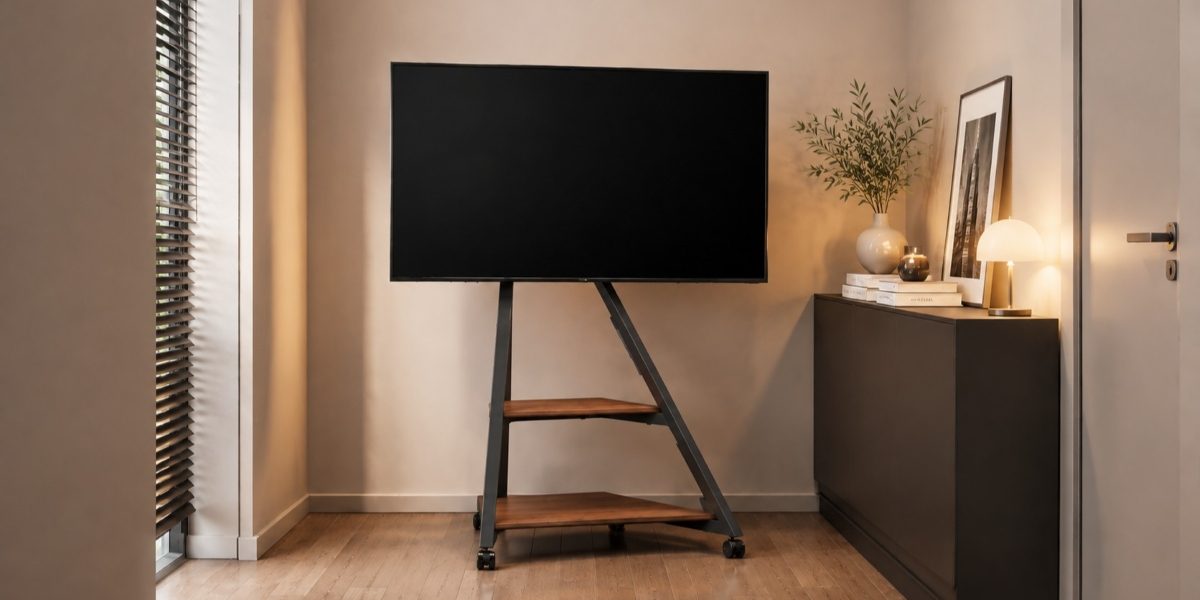

If you want to keep the wall completely untouched, the simplest approach is to make the TV independent from the wall. A freestanding TV stand with mount supports the screen from the floor, so you can raise the TV without drilling holes, installing anchors, or creating a permanent mounting point.
That makes this type of setup especially useful for renters and for rooms where the layout may change later. The important part is not just choosing something labeled “no-drill.” You need to confirm that the stand is truly wall-free, fits the room, safely supports your TV, and remains practical if your setup changes.
Make Sure the Setup Is Truly Wall-Free
“No-drill” can mean different things. Some products avoid a conventional power drill but still require nails, pins, wall brackets, or anti-tip straps fixed to the wall. If your goal is zero wall penetration, those systems do not fully meet the requirement.
Before buying, check the installation instructions rather than relying only on the product description. A truly wall-free stand should support both its own structure and the TV from the floor without requiring a wall anchor or other permanent wall connection.
This check is especially important for renters. If your lease does not allow wall modifications, look for instructions that clearly show the stand functioning as a complete freestanding unit. If wall attachment is listed as a required installation step, rule that model out before spending time comparing its other features.
The same principle applies even if you own the home. Decorative wall panels, brick, concrete, or newly finished surfaces may all be reasons to avoid drilling, but the solution remains the same: choose a stand whose stability does not depend on the wall.
Choose a Wall-Free Setup for Your Room Layout
Once you know the stand can work without wall attachment, check whether it actually fits the room.
Start with the base. Find the product’s footprint dimensions and mark that area on the floor with removable tape. Then walk past it, open nearby doors or cabinets, and check whether it crowds other furniture. A stand that looks slim from the front can still have a deep base, so measuring only the visible width is not enough.
Next, check the viewing height. A useful starting point is to place the center of the screen around 42 inches (107 cm) from the floor, although your actual seated eye level should take priority. Try to keep your line of sight close to the center of the screen; a vertical viewing angle of about 15° or less above or below center is a practical comfort guideline.
Swivel should also be judged by the room, not by the feature list. If everyone watches from one sofa facing the TV, a fixed screen may be sufficient. If the screen needs to serve both a sofa and a dining area, sit in both positions and estimate how far the TV would need to turn. Then check whether the stand’s stated swivel range can cover those angles.
If a fully freestanding setup fits these needs, apply the same room-fit checks when comparing options from FITUEYES or elsewhere. Focus on adjustments that solve an actual viewing or space problem rather than simply choosing a stand with more features.
Check Compatibility Before You Buy
A stand can fit the room perfectly and still be the wrong choice if it cannot safely support your TV. Check compatibility in a fixed order.
First, find the weight of your exact TV model in the manufacturer’s specifications. Compare that number with the stand’s maximum load capacity. Do not rely only on statements such as “supports TVs up to 75 inches,” because two TVs with the same screen size can have different weights. If your TV exceeds the stated limit, exclude the stand.
Next, check the VESA pattern. VESA refers to the horizontal and vertical spacing between the four mounting holes on the back of the television. For example, if your TV uses a 400 × 400 mm VESA pattern, that exact pattern needs to appear within the stand’s supported range. A matching screen-size range does not make up for incompatible mounting holes.
Finally, check how the base will sit in the actual room. It should rest fully on a flat, level surface without rocking or extending into a busy walkway. For a larger TV, favor a solid, stable base and use only compatible stabilization methods that do not require wall attachment. If a model requires a wall-fixed anti-tip strap or anchor for safe use, it does not meet the requirements of a fully wall-free setup. In homes with children or pets, stability and secure TV attachment should be treated as requirements rather than optional extras.
If the stand fails any of these three checks: weight, VESA, or stable placement, keep looking.
Check Whether You Can Reuse the Stand Later
One advantage of a wall-free setup is that it can move with you, but only if the stand is flexible enough to work beyond your current room.
If you expect to move, check whether the stand can be disassembled and reassembled using standard included hardware. Clear instructions make it easier to set up again without turning a move or room change into a complicated installation project. For a larger TV, having a second person help with lifting and mounting is still a sensible safety step.
If you expect to upgrade your TV later, avoid choosing a stand that already places your current screen close to its maximum size, VESA, or weight limits. Leaving some compatibility range gives you a better chance of reusing the stand with a larger or heavier TV instead of replacing the entire setup.
The goal is not to buy for every possible future scenario. It is simply to avoid choosing a stand that works only for one exact TV and one exact room.
Practical Considerations
A fully no-drill TV setup should keep the screen completely independent from the wall while still giving you a stable, practical viewing position. For renters and flexible spaces, start by confirming that the stand requires no wall attachment, then check whether its base fits the room and whether its weight and VESA limits match your TV.
Once those requirements are met, choose height adjustment, swivel, and future compatibility only when they solve a real need in your space. This keeps the decision focused on what matters now without limiting how the setup can work later.