


Here’s a small confession most payroll managers won’t make out loud: they’ve signed off on timesheets they didn’t quite believe.
Nobody’s proud of it. The sheet says 6:00 to 14:00, the guard at the loading dock swears he was there, and the one supervisor who could confirm it was forty minutes away putting out a fire at another post. What are you going to do, call him a liar? You approve it. Next week, you approve it again.
Do the sums, roughly. Ten minutes a day, per person, across a hundred people, 250 days a year, at eighteen dollars an hour. That works out to roughly 4,100 hours, or around $75,000 a year. Those are made-up round numbers, so treat them as a prompt and plug in your own.
This article walks through where those hours go, why paper and spreadsheets are such easy marks, and how employee attendance software with GPS verification fixes the problem without turning your team into suspects.
Where The Missing Hours Actually Go
Buddy punching gets the headlines, and yes, it happens. Someone taps in for a friend on a shared tablet, or hands over a login like a spare house key. It’s hardly the only leak, though.
Rounding is sneakier. Nobody calls it theft (and most people doing it wouldn’t either), but if every arrival gets nudged to the scheduled start and every departure to the scheduled end, you’re paying for the schedule, not the work.
Then there’s the lonely post. A night guard at a warehouse, forty minutes from his nearest supervisor, with a paper log as the only witness. Paper will say whatever you write on it. Breaks drift the same way, fifteen minutes becoming thirty, then forty-five, and no record to show when the drift began. Travel time is the muddiest of all. Some of it you should pay for, some of it is padding, and with a crew driving between six sites nobody can tell which is which.
Add it all up and none of it looks dramatic on any single day. That’s the trouble. A shift that runs eleven minutes short won’t trip any alarm, and by the time the monthly numbers look off, the habit is already part of how the site runs.
Why a supervisor and a clipboard can’t win
Every one of these problems runs back to the same weak spot: somebody reports their own hours, and somebody else has to decide whether to believe them. One supervisor, fifteen posts. The arithmetic doesn’t work.
And a spreadsheet is no better, because all it does is store whatever got typed into it, honest or otherwise.
There’s an emotional side too. Questioning someone’s hours with nothing to point at feels like an accusation, so managers shrug. Fair enough. Without evidence, shrugging is the sane reaction.
The people who lose out are the honest ones. The guard who’s always ten minutes early and never leaves before the relief arrives ends up quietly subsidizing everyone else, and he notices, even if he never says so.
A Quick Audit You Can Run This Week
You don’t need software to find out whether this is happening. Pull one month of timesheets, grab a coffee, and hunt for anything too tidy. A whole crew clocking in at exactly 8:00 every morning? Either they’re astonishingly punctual, or the sheet is reporting the schedule. Overtime that swells right before pay periods close. Hours logged at a site that don’t match what the client remembers seeing. A worker whose shifts never overlap with anyone else’s.
Nothing on that list proves anything, so don’t accuse anybody over it. Write it down. One page of oddities is a far better argument for change than a vague hunch, and it becomes your baseline when real data starts arriving.
What DPS Airem Changes At The Clock
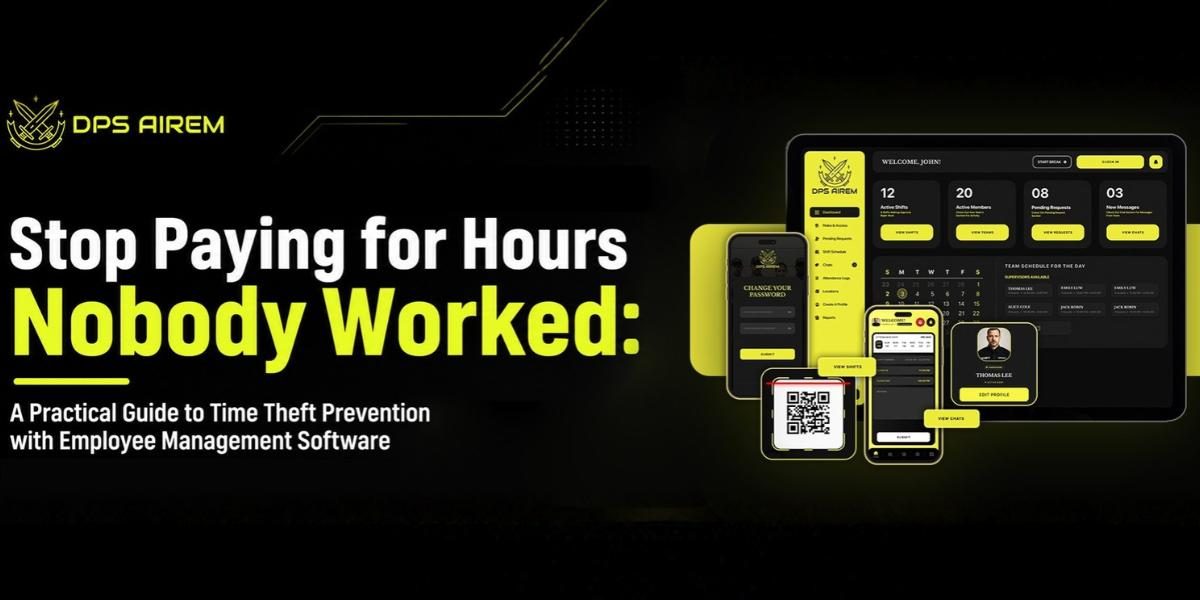
Start with the tap itself. When someone checks in through DPS Airem, the system verifies GPS location against the site’s geofence, so it can tell whether the person is actually inside the boundary of the post. QR codes add a second check where a site wants one. None of this is magic (a determined cheat will always try something), but each layer raises the effort, and most shortcuts only survive because they’re easy.
During the shift, live tracking shows where people are, and tracking history keeps the trail for later, which comes in handy when a client disputes coverage three weeks after the fact. Break and compliance tracking swaps the honor-system break log for something you can open and read. The scheduler lives beside the time clock, so planned versus actual hours shows up by itself instead of surfacing in a payroll argument.
Real life still interferes. Phones die. People forget to clock out, and sometimes a supervisor reroutes someone at the last minute. Managers handle those requests and approvals from the dashboard, which means a correction goes through an actual process rather than a text sent at eleven at night.
Field Crews And Multi-Site Operations
One office, one time clock, one front desk: easy to watch. Ten sites with no shared reception is another animal entirely. Security firms, patrol companies, cleaning crews, construction teams, field service businesses, all of them work where supervisors can’t be, and unverified hours multiply in exactly those gaps. Head office gets every site on a single dashboard instead of ten phone calls. Supervisors out in the field carry attendance, tasks, and incident handling in the mobile app, so checking happens on the spot, not at Monday’s review. That’s where workforce management software earns its keep.
Clock, Paycheck, Invoice
Once the hours are verified, everything downstream gets calmer. Payroll runs off recorded hours instead of estimates. Invoices pull from the same timesheets, which is a relief for security and cleaning firms that bill clients by the hour, because the number on the invoice finally matches the number on the payroll. And when a client questions a bill, a timestamped, location-verified record ends the debate quicker than any explanation could.
Security teams can go a step further. Daily activity reports, site tour records, and incident reports show what happened during the paid hours, not just that someone was nominally present. Presence is the minimum. Clients really want to see the work.
Rolling It Out Without The Eye-Rolls
Software can fix the data. It can’t fix the mood, and a GPS time clock introduced badly will get resented fast.
Tell people before the switch, in plain words, what gets verified and why. Pitch it around fairness (accurate pay, no more arguments over who was where, protection for the people doing things right) because folks accept rules they can see the point of.
Draw geofences with a bit of common sense. Too tight, and the guard parked in the visitor lot gets flagged, and nothing kills goodwill like a false alarm. Draw the boundary around the real site and test it before go-live.
Sort out exceptions early: a dead phone, a locked account, a last-minute reassignment. If fixing them takes three days, people will blame the system. If it takes three minutes, they’ll barely notice it exists.
Then, after the first pay cycle, sit down with supervisors and go through the oddities together. Move a geofence here, tweak a schedule there. Teams tend to trust a rollout that listens.
One more thing: put supervisors and managers on the same clock as everyone else. If they’re exempt, the whole system starts to smell like a rule for other people.
What To Expect, And What It Costs
Be realistic about it, and give it a full pay cycle before judging, since the first week mostly shakes out phones, permissions, and old habits. Employee management software won’t repair a bad culture, and it won’t stop every trick. What it does is take away the cover. Arguments about hours get settled with a record, and payroll starts from numbers both sides can check. Success looks quieter than people expect: fewer disputes on payroll day, fewer phone calls asking who’s actually on site, and a supervisor with time to actually supervise.
Pricing runs on three tiers at $5, $8, and $10 a month, each starting at three users. GPS live tracking comes with the entry plan; tracking history, geofencing, and messenger arrive at the middle tier. The 30-day risk-free trial is long enough to run DPS Airem next to your current method and compare the hours line by line.
Somewhere in last month’s payroll, a few hours are hoping nobody asks questions. Ask them at Dpsairem.com, with thirty days risk-free and a GPS map doing the talking.