
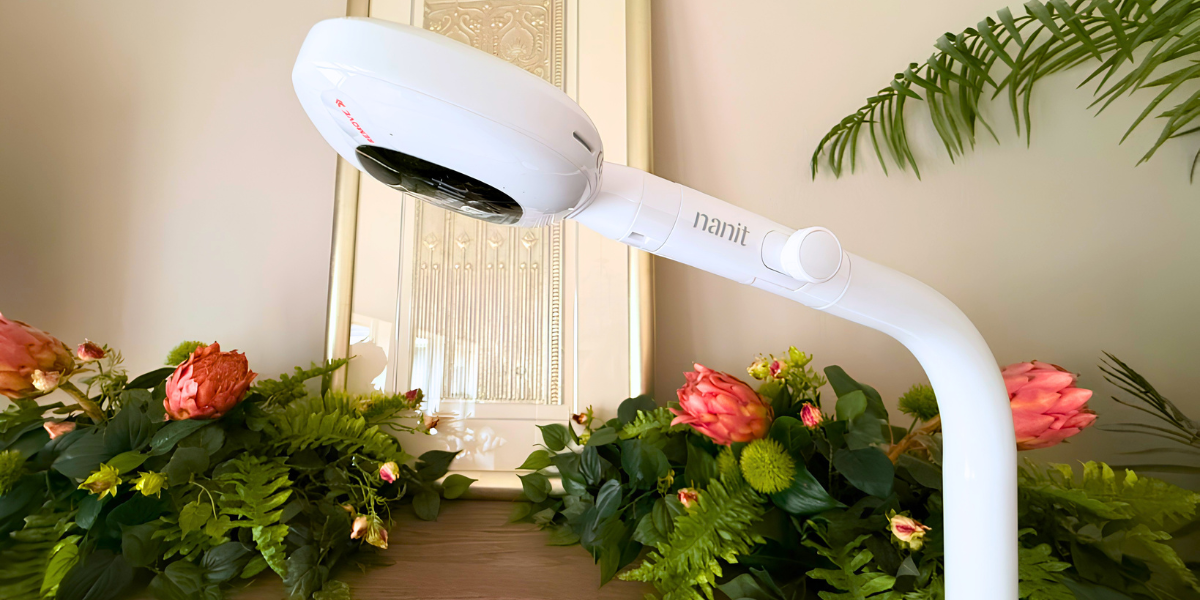

Disclosure: Nanit provided the Smart Baby Monitor System with the Floor Stand and 8″ Display for this review. All opinions are our own.
It is 2 a.m. and something comes through the monitor. Not a full cry. Something smaller. You have about four seconds to decide whether to get up, and that decision depends on how much your monitor shows you. That is the job the Nanit Smart Baby Monitor System is built for, and it is where the camera is most convincing.
It is also the configuration that unlocks the reason most people look at Nanit in the first place. Sleep analytics only work when the camera sits overhead, which this setup does. If you want the sleep dashboard, this is the version to buy. Whether you also need the 8″ screen is a separate and more debatable question.
At a Glance
- Price: $399.00 list with the 8″ Display, $289.99 list for camera only, confirmed on nanit.com July 2026. A limited-time 20% discount was applied automatically at checkout during that check, so the price paid moves.
- Mount options: Floor Stand or Wall Mount at the same price. This review covers the Floor Stand.
- Floor Stand: adjustable height to roughly 67 inches, 12-inch base built to slide under a crib, per Nanit
- Video: 1080p HD with night vision, manufacturer stated
- Sleep analytics: available on this mount with an Insights plan, which is the point of buying it
- Alert Zones: not available. Nanit restricts this to the Flex Stand, a separate $49 purchase.
- Alerts: cry, cough, sound, motion, standing, out-of-bed, manufacturer stated
- Included trial: three months of the Insights Sleep Plan
- Power: wall power only, no battery
- Wi-Fi: dual band, password-protected networks only. Nanit recommends 5GHz for the Pro camera.
- Security and compatibility: 256-bit AES encryption with two-step verification required rather than optional; iOS, Android, iPadOS, Mac with M1 chip, Amazon Echo Show, per Nanit
- Warranty: one year from delivery, void on units from unauthorized retailers
- Returns: 30 days, RMA required, $15 restocking fee on camera or stand orders, shipping not refunded
- HSA/FSA: eligible, per Nanit
What Is It Like to Use Day to Day?
The night vision is the strongest thing here. In a fully dark room the image was clear enough to read a facial expression and pick up a hand twitch or a leg kick. That is the difference between checking your phone and walking down the hall. Background audio also keeps running when the phone screen is off, which matters more than it sounds.
The app is the other quiet strength. Temperature and humidity readings, white noise, a nightlight toggle, and two-way audio sit near the surface rather than three menus deep, and setup ran under ten minutes. Cry alerts arrived within seconds and separated crying from general nursery noise. Cough detection is a manufacturer claim we had no controlled way to test, so treat it as listed rather than verified.
Is the 8″ Display Worth the Extra Money?
This is the real decision in front of you, because the camera and mount are identical either way. Camera only is $289.99. Adding the display takes it to $399.00. You are paying about $109 more for a dedicated screen.
Nanit’s own math checks out here. The Home 8″ Display sells separately for $179, so buying the camera system and the display apart costs $468.99 against $399 together, a saving of $69.99.
The case for it is not really about features. A dedicated screen means the monitor is not competing with your phone, and it means a babysitter or a grandparent can watch the nursery without you handing over an account login. Anyone who has tried to explain app permissions to a sitter at 6 p.m. understands the appeal.
The case against is equally simple. Everything the display shows, your phone already shows. If nobody else is going to watch the feed, and you are comfortable living in the app, $109 buys you a second screen you did not strictly need. That is a household-by-household call, not a product flaw.
What Does the Overhead Mount Unlock?
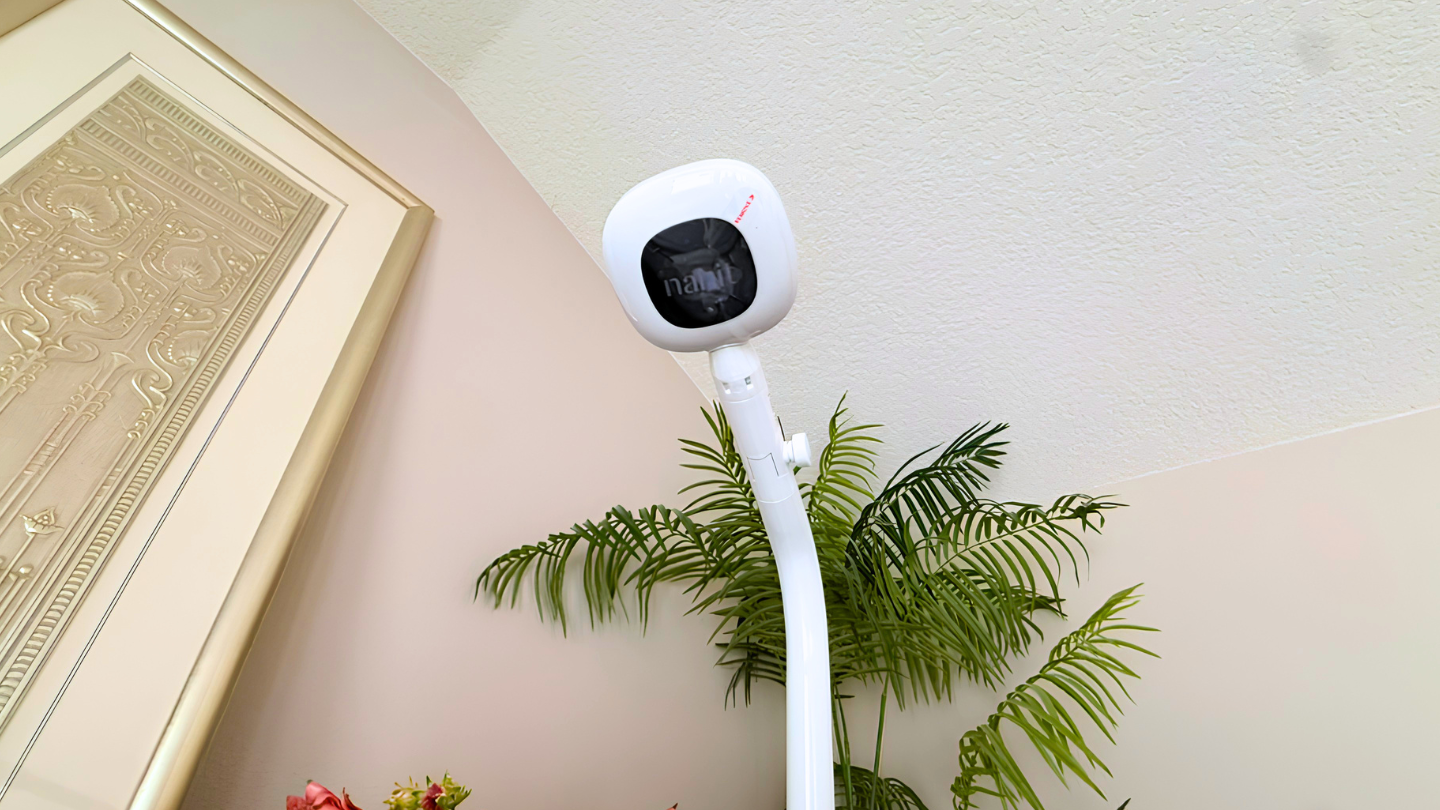
At full height the camera looks down from near ceiling level. This bird’s-eye angle is what the sleep tracking depends on.
Sleep analytics, and this is the whole argument for this configuration. Nanit’s algorithms need the bird’s-eye angle, which is why the brand states plainly that sleep tracking requires the Floor Stand or the Wall Mount. Put the same camera on the portable Flex Stand and the dashboard goes quiet.
What you get is a record rather than a live glance: how long the baby slept, how often they woke, how often you went in. Nanit layers sleep tips and weekly summaries on top through its Insights plans, which the analytics require once the included trial runs out.
Whether that matters depends on the family. Some parents use the dashboard to find a pattern they could not see from memory alone, and it genuinely changes what they do at bedtime. Others check it twice in the first week and never open it again. It is worth being honest with yourself about which you are before paying for the mount that enables it.
How Does Breathing Monitoring Work, and What Are Its Limits?
Breathing Motion Monitoring needs one thing the camera cannot supply on its own: Nanit’s Breathing Wear. These are cotton wraps and sleeping bags printed with a custom pattern, and according to Nanit they contain no electronics, wires, or sensors. The camera’s algorithms read movement in that pattern to track breathing motion and alert you if none is detected. Nothing electronic touches the baby’s skin. Nanit also recommends an overhead mount for nightly use of this feature, which is what this setup provides.
Nanit states the limits itself. This is not a medical device, is not FDA regulated or approved, does not measure oxygen or heart rate, and is not intended to diagnose, treat, or prevent any condition, including SIDS. Nanit’s disclaimer also says false positive and false negative breathing readings are a potential risk of the product.
That last point deserves its own moment. A device that can miss a reading, or invent one, is not something to build your night around.
No monitor substitutes for safe sleep practice or for an adult checking on the child. With a floor stand, run the power cord through the stand’s cord channel rather than letting it hang loose, keep the base and pole beyond the reach of a child who can pull to stand, and never let slack cord fall into or across the crib. Use a firm, flat sleep surface regardless of what the app shows.
Do You Need the Subscription?
Not to use the monitor. Without a paid plan, Nanit lists live video from anywhere, real-time sound and motion alerts, background audio, breathing motion monitoring, temperature and humidity tracking, two-way audio, white noise, the nightlight, and up to two users. Every camera includes a three-month free trial of the Sleep Plan.
You do need one for the analytics this mount exists to deliver, which is the part worth understanding before you buy. After the trial, Nanit describes the Sleep Plan as renewing at less than $10 a month, billed annually. Memories runs $10 a month or $120 a year, adding continuous video history, up to 10 caregiver profiles, 200 saved memories, and 30 days of sleep analysis. Milestones runs $25 a month or $300 a year with seven days of video history and unlimited profiles and saved events.
What to Consider Before Buying
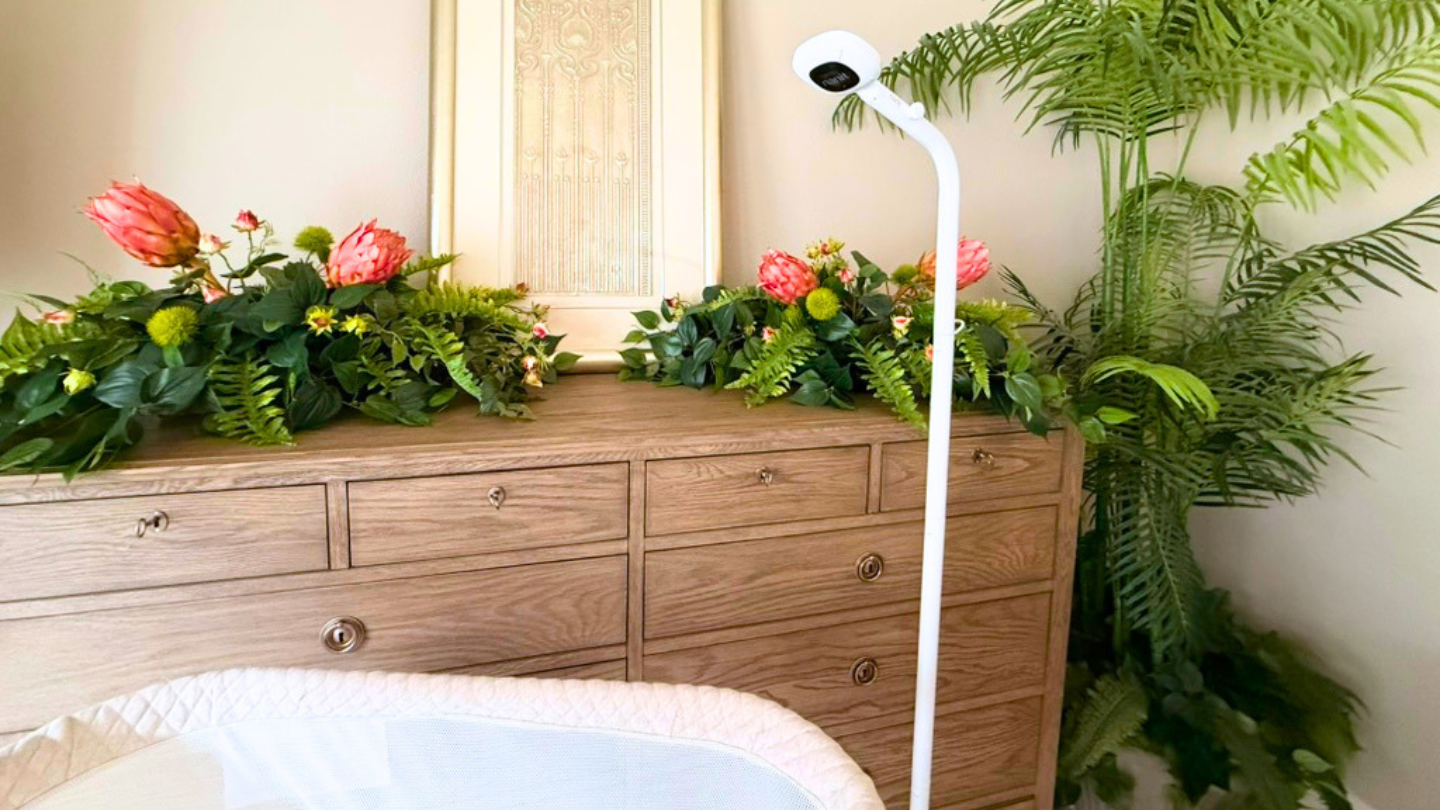
In the room, the stand reads as furniture. The pole runs floor to near ceiling and the base sits under the sleep surface.
Alert Zones are not part of this package. The feature that notifies you when a child crosses a boundary you have drawn, near a doorway or a staircase, is restricted to the Flex Stand. For a family with a new walker, that is one of the more useful things Nanit’s app does, and getting it means buying a $49 stand on top of a $399 system.
The ongoing cost is real, and it comes from two directions. The mount is the hardware that makes analytics possible, but the subscription is what actually delivers them, and it renews annually once the three-month trial ends. Breathing Wear is the other recurring line. It is sized, so a growing baby moves through it, and Nanit lists Breathing Bands from $19.99 and the Breathing Wear Sleeping Bag at $34.99.
The Floor Stand is a piece of nursery furniture. It stands roughly 67 inches at full height with a 12-inch base designed to slide under the crib. In a small room, that is a real object to plan around, and it has to stay put once a child is old enough to grab at it.
There is no battery. The camera needs wall power at all times, which limits placement and means a cord running the height of the stand.
The camera is only as good as your Wi-Fi. There is no local mode. Nanit says plainly that it does not allow connections to open, unsecured networks, and tells travelers to plan ahead for hotels, which typically run open or captive-portal networks.
Returns cost money. Sending it back within 30 days requires an RMA number, and Nanit deducts a $15 restocking fee on any order including a camera or stand. Shipping charges are not refunded.
Support is the recurring complaint. In owner feedback, the most consistent frustration is not the hardware but the difficulty of reaching a person when something fails. Buying direct is also safer for warranty purposes, since the limited warranty does not cover units from unauthorized sellers.
The Bottom Line
As a camera, this is a strong one. The night image, the background audio, the app, and the alert system are well executed, and the overhead mount is the configuration where the whole system does what the marketing promises.
Buy this version if the sleep data is why you are here. Buy the display variant if a second person will watch the feed, or skip it and save $109 if they will not. Families who mainly want a camera they can carry from room to room are buying the wrong Nanit, and should look at the portable setup instead.
It is expensive, it needs a subscription to reach its potential, and it is missing one genuinely useful safety feature that Nanit reserves for a different stand. Within those limits, it does the job well.
The Nanit Smart Baby Monitor System is available at nanit.com.