
Managing a growing inventory of hardware and specialized equipment is a constant challenge for modern technology teams operating in compact environments. As startups and remote hubs continue to scale within limited square footage, the need for strategic organization becomes a functional necessity rather than a luxury.
Optimizing your physical workspace directly influences your team’s ability to remain agile and focused on high-level innovation. Effective storage solutions go beyond simply clearing floor space to improve overall operational flow and asset security. These professional upgrades transform cluttered offices into streamlined centers of productivity that support both creative energy and technical precision.
Explore these essential strategies to revolutionize your workspace and empower your technical operations today.
1. Streamlined Mobile IT & Field-Service Kits
Standard shelving and open bins often lead to tangled cables or misplaced components during urgent field assignments. Adopting specialized kits ensures every technician has a dedicated and pre-configured setup ready for immediate use.
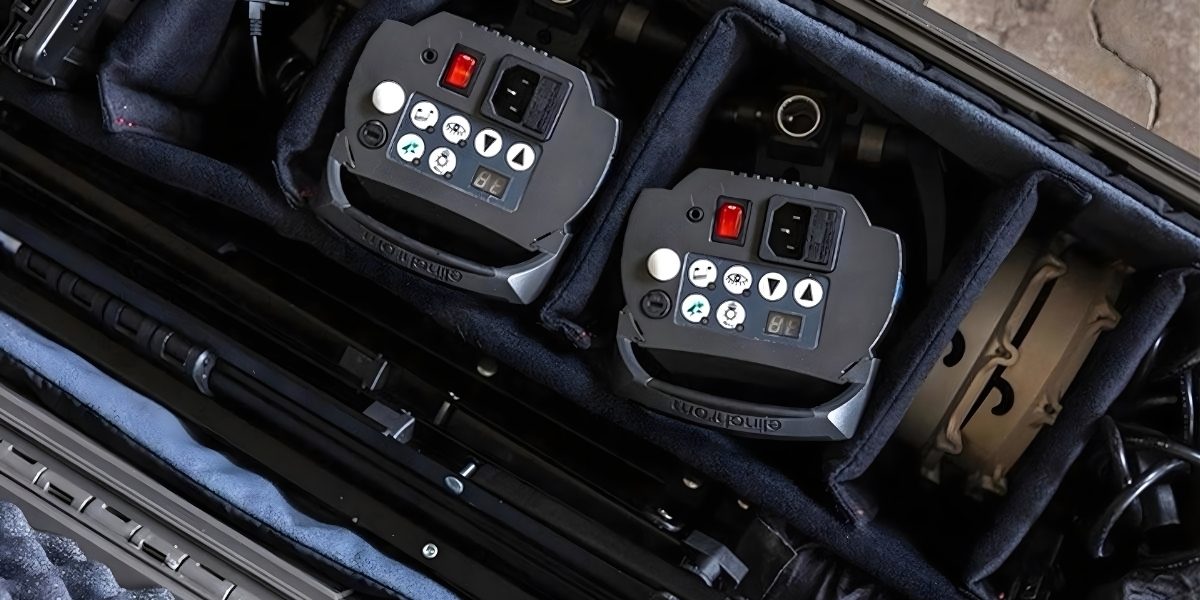
Maintaining internal organization within these kits requires high-quality housing that can withstand constant transit. Utilizing Royal Case’s custom wholesale cases allows teams to implement a uniform storage standard featuring precision-cut foam inserts. This level of customization secures specific tools and prevents sensitive electronics from shifting or sustaining damage during transport.
Core Benefits of Kitted Storage
- Rapid Deployment: Eliminates time spent searching for individual adapters or testing tools.
- Asset Protection: Hard-shell exteriors shield expensive hardware from impact and environmental hazards.
- Inventory Control: Missing items are immediately visible within the custom-molded interior slots.
Standardization of operative equipment can result in significant cost reduction without impacting quality. To standardize load-outs, organizations must ensure kits contain the same components in every region. Consistency slashes training curves for new hires and simplifies replenishment.
2. Modular Wall-Mounted Server Racks
Transitioning to wall-mounted modular racks shifts critical infrastructure off the ground and into underutilized vertical space. This placement keeps high-value hardware away from foot traffic and potential liquid spills.
Modern wall-mount units offer open-frame designs that facilitate superior airflow and easy access to rear cabling. These systems allow for incremental scaling as your network requirements grow without requiring a total overhaul of your room layout.
Essential Rack Features
- Swing-Out Hinges: Provides 360-degree access to back-panel ports for rapid troubleshooting.
- Passive Cooling: Open-sided configurations reduce the need for specialized fans in small rooms.
- Standardized U-Spacing: Ensures compatibility with diverse networking hardware and patch panels.
Selecting a rack with a weight capacity that exceeds your current needs prevents future structural strain. Secure mounting into wall studs or reinforced backing is critical for maintaining the safety of your switches and UPS units.
Strategic cable management within these racks further streamlines your environment. Using vertical D-rings and horizontal managers prevents “cable spaghetti” and ensures that technicians can identify and swap lines in seconds.
3. Under-Desk Charging Drawers
Replacing bulky power strips and scattered charging bricks with under-desk drawers creates a dedicated hub for peripheral management. This configuration moves active charging tasks out of the primary workflow zone while keeping devices secure and accessible.
Integrating these drawers allows for a clean “desk-zero” aesthetic that minimizes visual clutter and mental fatigue. Many modern units feature integrated cable pass-throughs and heat-dissipation vents to prevent hardware from overheating during rapid charging cycles.
Key Deployment Benefits
- Internal Power Rails: Consolidates multiple AC and USB ports into a single concealed enclosure.
- Cable Strain Relief: Prevents fraying by securing cords in fixed positions during drawer movement.
- Device Security: Provides a lockable space for high-value mobile testing units and tablets.
Strategic placement of these drawers ensures that high-use peripherals like wireless mice and mechanical keyboards remain fully powered between sessions. This approach eliminates the common issue of dead batteries during critical project sprints.
Standardizing drawer assignments for individual workstations helps maintain a consistent office layout. This system ensures that even the smallest cubicle or hot-desk remains a high-performance environment without the need for additional external storage furniture.
Your Next Steps
This week, run the checklist with your team. Snap photos of current kits and circle wasted space or exposed components. Compare your findings with peers, then explore a purpose-built case configuration. Moving toward a professional storage strategy is about reclaiming billable hours lost to inefficiency.
| Author Profile: Royal Case is the leading manufacturer of custom wholesale cases for businesses across every industry. |