
AI image generation has been moving fast. But Seedream 5.0 feels like a genuine leap rather than just another incremental update. Built by ByteDance, this model doesn’t just generate pretty pictures from prompts.
It reasons through your instructions, searches the web in real time for current context, and produces images at up to 4K resolution that are sharp enough for professional, commercial use. For content creators who live and die by the quality of their visuals, that combination is a pretty big deal. Here’s a breakdown of what you can actually make with it.
YouTube Thumbnails That Actually Stop the Scroll
Your thumbnail is the single most important frame of your entire video. It determines whether someone clicks or keeps scrolling. And, sadly, most creators don’t spend nearly enough time on it. Seedream 5.0 changes that equation.
Because the model understands complex, detailed prompts with real precision, you can describe exactly the composition, lighting, and mood you want, and it delivers. Dramatic contrast? Cinematic color grading? Bold text overlay that’s actually readable? Seedream 5.0 handles text rendering far better than most AI image models, which means you can include title copy directly in your generated thumbnail instead of adding it manually in a separate tool.
Even better, since the model can search the web in real time, you can reference trending aesthetics, current cultural moments, or visual styles that are performing well right now. Your thumbnail isn’t pulled from stale training data. It’s aware of what’s actually relevant.
Social Media Visuals and Ad Creatives
Whether you’re a solo influencer batch-creating a week of Instagram content or a marketing team producing campaign assets at scale, Seedream 5.0 is built for this workflow.
The model maintains strong visual consistency across multiple generations. For example, same character, same lighting style, same color palette, which is essential when you’re building a cohesive feed or a multi-asset campaign. You’re not getting a different aesthetic every time you generate. You’re getting a reliable visual identity you can actually build on.
For ad creatives specifically, the model’s ability to follow complex instructions is a major advantage. You can specify exact spatial layouts, call out where text should sit, define lighting conditions, and describe the mood of the image. Seedream 5.0 interprets all of it without you having to regenerate fifteen times until something finally sticks.
Product Visuals and E-Commerce Photography
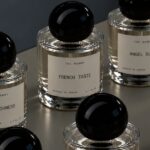
Studio product photography is expensive, slow, and logistically painful. This is especially true for creators who are also running small businesses or affiliate-based content. Seedream 5.0 lets you generate polished product visuals that look like they came out of a professional shoot, without any of the overhead.
Feed it a reference image of your product and describe the scene you want around it. For example, a lifestyle setting, a clean white backdrop, and a contextual environment that fits your brand. The model’s image-to-image capabilities produce sharper details, refined textures, and balanced lighting from your source material, with precise brush-based editing tools that let you adjust specific elements without regenerating the entire image from scratch.
For creators doing brand partnerships or product reviews, being able to produce professional-grade visuals fast is a genuine competitive advantage.
Infographics, Posters, and Text-Heavy Design Assets
One of Seedream 5.0’s most underrated strengths is its text rendering. Most AI image models struggle badly with text. You must have surely seen garbled letters, inconsistent sizing, and layouts that fall apart. Seedream 5.0 handles it with a level of reliability that makes it actually usable for real design work.
Event posters, promotional flyers, data visualization graphics, science explainer images (any asset where legible, accurately placed text is part of the design) are now genuinely within reach. The model understands layout and visual hierarchy, so text and graphic elements coexist in a way that looks intentional, not accidental.
Concept Art, Mood Boards, and Pre-Production Visuals
Before you shoot anything, before you brief a designer, before you finalize a creative direction, you need to visualize the idea. Seedream 5.0 makes that process dramatically faster.
Marketing teams and creative directors can use it to mock up campaign concepts, test different visual directions, and build mood boards that actually communicate the vision to collaborators rather than a vague Pinterest collection and a lot of hand-waving. Generate, iterate, refine. The fast feedback loop means you can explore ten different creative directions in the time it used to take to design one.
The example-based editing feature is particularly useful here: you can show the model a before-and-after image pair to demonstrate the transformation you want, and it applies that same pattern to new images automatically. It’s a much more intuitive way to communicate a visual direction than trying to put it into words.
Key Takeaways
Seedream 5.0 isn’t just a more powerful image generator. Rather, it’s a smarter one. The combination of real-time web search, logical reasoning, precise prompt following, and up to 4K output puts it in a different category from the tools most creators are used to. Whether you’re making thumbnails, campaign visuals, product shots, or pre-production concept art, the quality ceiling is genuinely high. And the workflow is fast enough to actually fit into how creators work. If you haven’t experimented with it yet, now’s a good time to start.