


Twenty employees is roughly where spreadsheets start lying to you.
Twenty people in, a shared sheet and a group chat can still hold a business together. Barely. Fifty people in, that same setup starts producing wrong hours, missed shifts, and a founder who spends more time chasing timesheets than actually growing the company. Somewhere in that stretch, every growing business hits the same wall. The tools that got you here stop being enough to get you further.
What follows covers what employee management software actually does, how to tell you’ve outgrown manual methods, which features are worth paying for, and where a platform like DPS Airem fits once you’ve decided it’s time to upgrade.
What Employee Management Software Actually Does
Strip away the marketing language and the category is simple. Employee management software tracks who worked, where they worked, when they worked, and whether they got paid correctly for it. Better platforms add scheduling, communication, and compliance on top, but attendance and accuracy sit at the core of everything else.
Growing businesses usually don’t need this on day one. A five-person team runs fine on trust and a text thread. Somewhere past that, once headcount or shift complexity climbs beyond what one person can track in their head, the math stops working, and for most companies that happens faster than anyone expects.
Signs You’ve Outgrown Manual Management
A few patterns show up again and again right before a growing business finally switches systems. Payroll, for one, starts taking longer every month instead of getting faster, because someone’s manually reconciling timesheets against a schedule that’s already three revisions out of date by the time anyone looks at it. Ask a manager who’s actually on-site right now, and you’ll often get an answer based on Monday’s spreadsheet, not reality. New hires end up learning three separate tools just to clock in, request a day off, and see their shift. And when a client calls asking about coverage or an incident, what should be a two-minute lookup turns into a scramble and a string of phone calls.
None of these break the business on their own. Stacked together, they’re a company quietly outgrowing whatever held it together at twenty employees.
What to Look For in Workforce Management Software
Not every platform in this category solves the same problem, which is exactly why growing businesses tend to either overbuy features they’ll never touch or underbuy and hit the same wall again in a year.
Attendance verification matters more than most buyers expect going in. GPS-based clock-ins and geofencing confirm someone was physically where they said they were, and once a team is spread across several sites with nobody standing over a shared time clock, that confirmation is the difference between trusting your payroll numbers and hoping they’re close enough. Scheduling needs to live in the same system as attendance too, because a scheduler sitting in a separate tool creates exactly the kind of gap where coverage problems hide until a client notices first.
Then there’s the interface question, which gets overlooked constantly. Office software rarely works for guards, technicians, or crew members who never sit at a desk, so the mobile experience matters just as much as the manager dashboard, arguably more. Add incident reporting and internal communication into the same platform, since security firms and field service businesses especially need a way to document what happened on-site without relying on a text message that’s gone by Thursday. And payroll or invoicing should pull straight from real attendance data. Every time a number gets retyped by hand between systems is another chance for it to come out wrong on a paycheck or an invoice.
Employee Attendance Software, the Feature Most Growing Businesses Underrate
Founders usually go shopping for scheduling software or payroll software first. Attendance accuracy tends to be an afterthought, right up until it starts causing problems nobody planned for.
Time theft rarely looks like fraud. It looks like a shift that “started on time” but really started twelve minutes late, repeated across dozens of employees, every single week, quietly. Employee attendance software with GPS verification and QR code check-ins is built to remove that ambiguity, and once attendance data can actually be trusted, payroll finally starts from something solid instead of a number dressed up to look accurate.
Attendance is usually the piece worth getting right first, because almost every other number in the system is calculated from it.
Where DPS Airem Fits Into This Picture
DPS Airem was built around exactly this transition point, the moment a business outgrows manual coordination and needs a real system, minus the headache of stitching five disconnected tools together to get there.
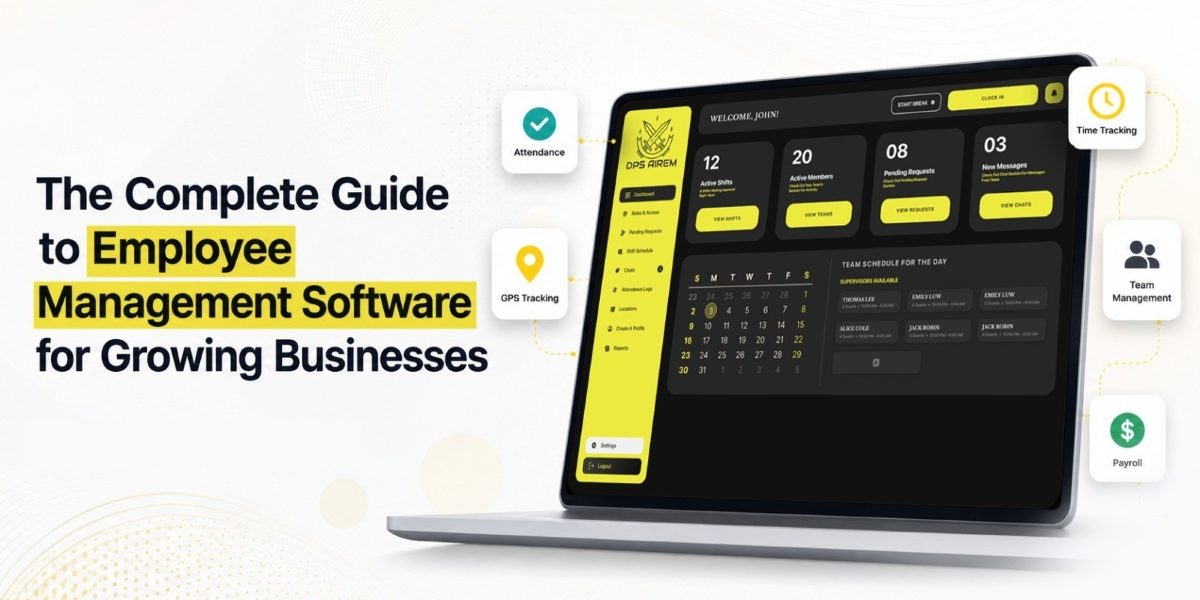
Attendance runs through GPS verification, geofencing, and QR code check-ins, so managers see confirmed location data instead of a self-reported guess. Scheduling and dispatching sit in the same platform, which means coverage gaps are visible in the same place shifts get assigned. Managers, supervisors, and field employees each get a dashboard built for their actual role rather than one generic view, and security or patrol businesses get extra tools layered on top like vehicle tracking, site tours, post orders, and daily activity reports. Payroll calculates from verified hours instead of estimates, and invoices generate from timesheet data rather than a spreadsheet someone updates by hand every billing cycle.
Pricing scales in tiers starting at three users, which fits a business that’s growing but isn’t enterprise-sized yet, and a 30-day trial period is available for teams that want to test the platform before committing.
Choosing the Right Platform for Where You’re Headed
The right employee management software rarely has the longest feature list. It usually just matches how the business actually operates today, with enough room built in to scale without a painful migration eighteen months from now.
Here’s a useful test. Picture the business at double its current size. Does the current system, or spreadsheet, or group chat, still hold up? If the honest answer is no, that’s the signal. Not a warning sign to file away for later.
Growth exposes weak systems fast. Better to replace one on your own timeline than get forced into it mid-quarter, during exactly the chaos a better system was supposed to prevent.
Ready to see what that looks like in practice? Take a look at DPS Airem and picture your team running on data you can actually trust, not spreadsheets held together with hope.