

When people bought a 3D printer in the past, they often focused on speed, accuracy, and build volume. Those factors still matter, but software now has a greater influence. From model preparation and slicing to monitoring and job management, modern 3D printing software can reduce setup work. Choosing a printer in 2026 therefore means evaluating both the machine and the software ecosystem behind it.
Why 3D Printing Software Has Become Essential in 2026
Modern software connects tasks that were once handled separately, making the full printing process easier to manage.
Software Connects the Entire 3D Printing Workflow
Modern 3D printing involves more than downloading a model and pressing Print. A file must be imported, checked, oriented, assigned suitable settings, sliced into layers, and transferred to the printer.
Instead of switching between several tools, users can prepare the model, preview the toolpath, and send the finished file from one platform. This reduces repetitive work and makes the process easier to understand.
Software Helps Maximize 3D Printer Performance
A fast motion system or high-flow nozzle cannot reach its full potential if the slicer creates inefficient paths or applies unsuitable material settings. Software controls acceleration, cooling, wall order, infill, supports, and extrusion behavior.
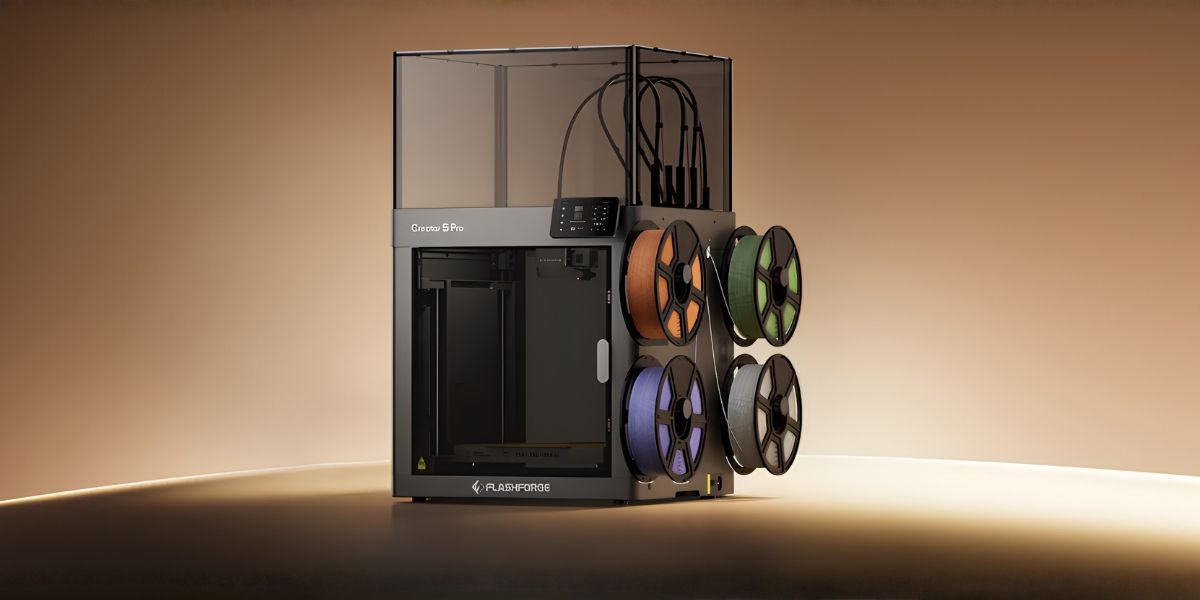
These adjustments can shorten print time, reduce material waste, and improve surface quality. Within the Flashforge 3D Printer ecosystem, software-supported functions such as vibration compensation, flow calibration, remote monitoring, and multi-device management help turn hardware capability into a practical workflow.
Key Features Driving 3D Printing Software Trends in 2026
The leading software trends focus on automation, better visibility, and simpler control over complex settings.
Smarter Slicing and AI-Assisted Optimization
Modern slicers can provide tested profiles, generate supports, optimize travel paths, and recommend settings based on the selected material. AI-assisted tools may also identify risky areas or suggest a better model orientation.
These features reduce trial and error. Beginners can achieve more stable results, while experienced users save time on routine preparation.
Desktop Software Makes Printing More Efficient
Desktop software provides more control than a small printer screen or mobile interface. Users can organize files, adjust settings, inspect sliced layers, and identify potential issues before sending a job.
Creators, designers, and studios can pair compatible Flashforge printers with Flash Studio Desktop. It supports model preparation, remote control, and multi-device connectivity from one workspace.
How 3D Printing Software Benefits Different Users
Different users benefit from fewer manual steps and more predictable results.
Helping Beginners Start 3D Printing More Easily
For many first-time users, the greater challenge is understanding layer height, nozzle temperature, speed, cooling, and support settings.
Beginner-friendly software simplifies these decisions through clear menus, tested presets, visual previews, and automatic functions. A machine with automatic leveling becomes easier to use when supported by accurate profiles and an intuitive preparation process.
Improving Productivity for Designers and Professionals
Designers, engineers, schools, and studios often process several models, use different materials, repeat the same print, or manage multiple devices. Professional software can save project settings, fine-tune supports, control extrusion, and prepare repeatable production files.
Multi-printer management also reduces the time spent transferring files or checking machines individually. For teams using compatible devices, Flash Studio Desktop can centralize model preparation and printer management.
What to Consider When Choosing 3D Printing Software in 2026
A good platform should match both the printer’s capabilities and the user’s current skill level.
Compatibility With Your 3D Printer
Before choosing software, confirm that it supports your printer model, nozzle sizes, materials, and file formats. A feature-rich slicer may still produce inconsistent results without an accurate machine profile.
Compatibility is especially important for multi-color and multi-material printing, where software must coordinate material assignments, tool changes, calibration, and support settings.
Balance Between Simplicity and Advanced Control
The best software should be easy to start using without becoming restrictive as skills improve. Beginners benefit from tested presets and automatic recommendations, while professionals need access to speed, cooling, extrusion, support, and material controls.
Strong platforms keep routine settings simple while making advanced options available when required. This balance helps users grow without replacing their software.
The Future of 3D Printing Will Be Software-Driven
The 3D printing market in 2026 is no longer defined by hardware specifications alone. Intelligent slicing, automated calibration, remote monitoring, desktop management, and stronger device connectivity are changing how users operate a printer.
Software support should now be part of every printer comparison. A capable machine may offer impressive speed and build quality, but a complete software ecosystem determines how easily those capabilities can be used in everyday projects.
Combining reliable hardware with intuitive 3D printing software can reduce preparation time, improve consistency, and help more creators turn digital designs into finished physical objects.