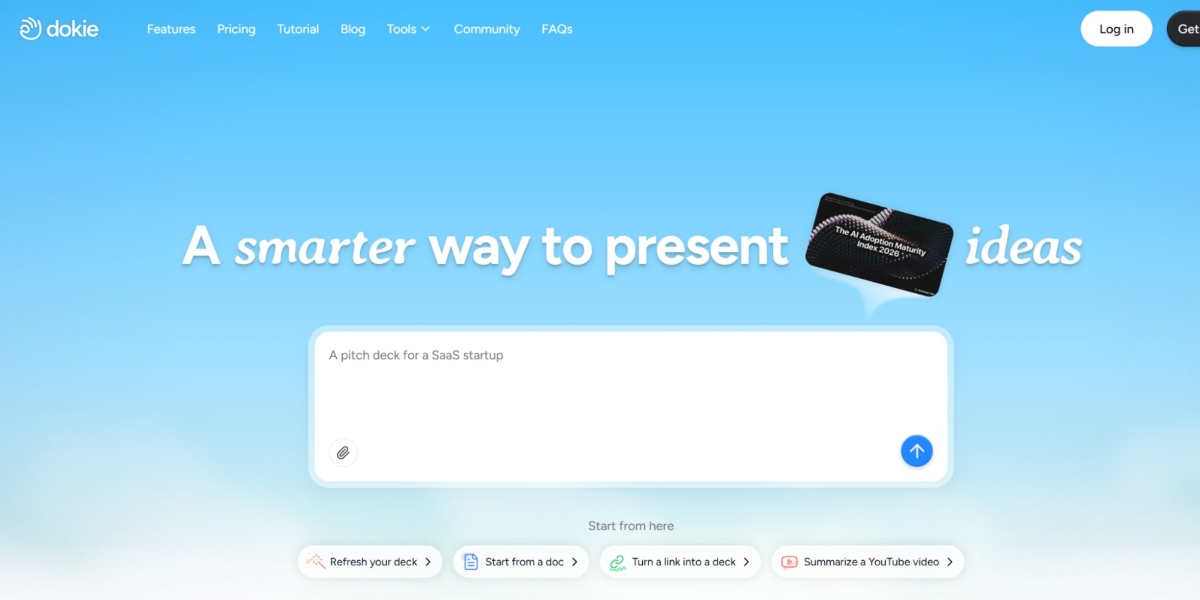


Making slides takes time. Many AI tools promise to help, but most still need a lot of editing. This review examines whether Dokie AI can truly save time and create better business decks.
What Is Dokie AI?
Making slides takes time. Many AI tools promise to help, but most still need a lot of editing. This review looks at whether Dokie AI can really save time and create better business decks.
Dokie AI is an AI presentation maker that helps you turn ideas into full slide decks. Instead of starting from a blank page, you give it a topic, notes, or a file. Then it builds slides for you.
It works as:
- An AI PPT maker
- An AI slides generator
- A tool for fast business decks
The main goal is simple:
help you create usable presentations faster.
Why Most AI PPT Makers Don’t Work Well
Before we talk about Dokie, it helps to understand the problem.
Many AI presentation tools look good at first. But when you try to use them in real work, you will see issues:
- Slides feel too generic
- Structure is messy
- You need to rewrite most of the content
- Design looks nice, but logic is weak
This is why many users still go back to PowerPoint.
Most tools focus on design first.
But for business decks, what matters most is:
- Clear structure
- Strong flow
- Easy-to-read content
That’s where Dokie AI is different.
How Dokie AI Works
Dokie AI keeps the workflow very simple.
Step 1: Add your content
You can:
- Type a topic
- Paste notes
- Upload files (PDF, Word, etc.)
Step 2: AI builds the structure
Dokie does not just create slides.
It first builds a clear outline like:
- Title
- Agenda
- Key points
- Details
- Summary
Step 3: Generate slides
It turns the outline into a full deck with:
- Slide titles
- Bullet points
- Clean layout
Step 4: Edit your slides
You can:
- Change text
- Move slides
- Add your own ideas
Step 5: Export to PPT
Download your slides and use them in meetings.
Key Features of Dokie AI
1. Strong Slide Structure
This is the biggest strength.
Most AI slides generators give random slides.
Dokie gives you a clear story.
This helps you:
- Present better
- Spend less time fixing slides
- Keep your ideas clear
2. Multiple Input Formats
Dokie is more than a simple AI PPT maker.
You can turn many types of content into slides:
- PNG → PPT
- PDF → PPT
- Word → PPT
- Excel → PPT
- Images → PPT
This is very useful for business users who already have data or notes.
3. Business-Ready Content
Dokie focuses on real work use cases.
Slides are:
- Simple
- Clear
- Easy to present
This is very different from tools that focus only on design.
4. Fast Generation
Speed is a big advantage.
You can go from:
- Notes → Full presentation
In just a few minutes.
This is helpful when:
- You have a tight deadline
- You need quick reports
- You make slides often
5. Clean and Simple Design
Dokie is not flashy.
Instead, it gives:
- Clean layouts
- Easy-to-read slides
- Professional look
For business decks, this is often better than heavy design.
6. Easy Editing
After generation, you can still change everything.
- Edit text
- Move slides
- Add new sections
The layout stays stable, which saves time.
Real Use Cases
1. Marketing Reports
You can turn campaign data into slides quickly.
2. Client Presentations
Create decks from notes and ideas.
3. Team Updates
Build weekly reports fast.
4. Pitch Decks
Generate a first draft and improve it.
Pros and Cons
Pros
- Easy to use
- Strong structure
- Fast output
- Clean slides
- Works well for business decks
Cons
- Content can feel basic
- Limited design styles
- Needs editing for the final version
Is Dokie AI the Ideal AI PPT Maker?
If your goal is to create real business presentations, Dokie AI is one of the best options.
It is not trying to be the most creative tool.
It is trying to be the most useful one.
Compared to many AI presentation makers, it:
- Saves more time
- Needs less editing
- Produces better structure
That’s why it stands out.
Tips to Get the Ideal Results
To get better slides, follow these tips:
1. Give clear input
The better your notes, the better your slides.
2. Don’t expect perfect output
Use AI as a first draft.
3. Edit key slides
Focus on:
- Title
- Data
- Summary
4. Keep slides simple
Short and clear slides work best.
Who Should Use Dokie AI?
Dokie AI is best for:
- Marketers
- Founders
- Consultants
- Students
- Anyone who makes slides often
If you build presentations every week, this tool can save a lot of time.
TLDR
- Dokie AI is a strong AI presentation maker
- Focuses on structure, not just design
- Works well for business decks
- Saves time but still needs editing
FAQs
1. What is an AI PPT maker?
An AI PPT maker is a tool that uses AI to create slides from text, notes, or files. It helps you build presentations faster.
2. Is Dokie AI free?
Dokie AI has a free plan with limits. Paid plans give more features and higher usage.
3. Can Dokie AI replace PowerPoint?
No. It works best as a tool to create drafts. You still use PowerPoint for final edits and presenting.
4. Is Dokie AI good for beginners?
Yes. It is simple to use. You can create slides in minutes without design skills.
End- Note
Dokie AI focuses on what matters most: clear and usable slides. If you want to save time and build better business decks, it is one of the best AI presentation makers to try.